Twelve shades of blue, seven button styles, forms that behave differently from page to page: that's what happens to almost every digital product that grows without shared rules. Every new screen is designed and built from scratch, timelines stretch and the experience loses consistency. A design system is the answer to this problem.
What is a design system?
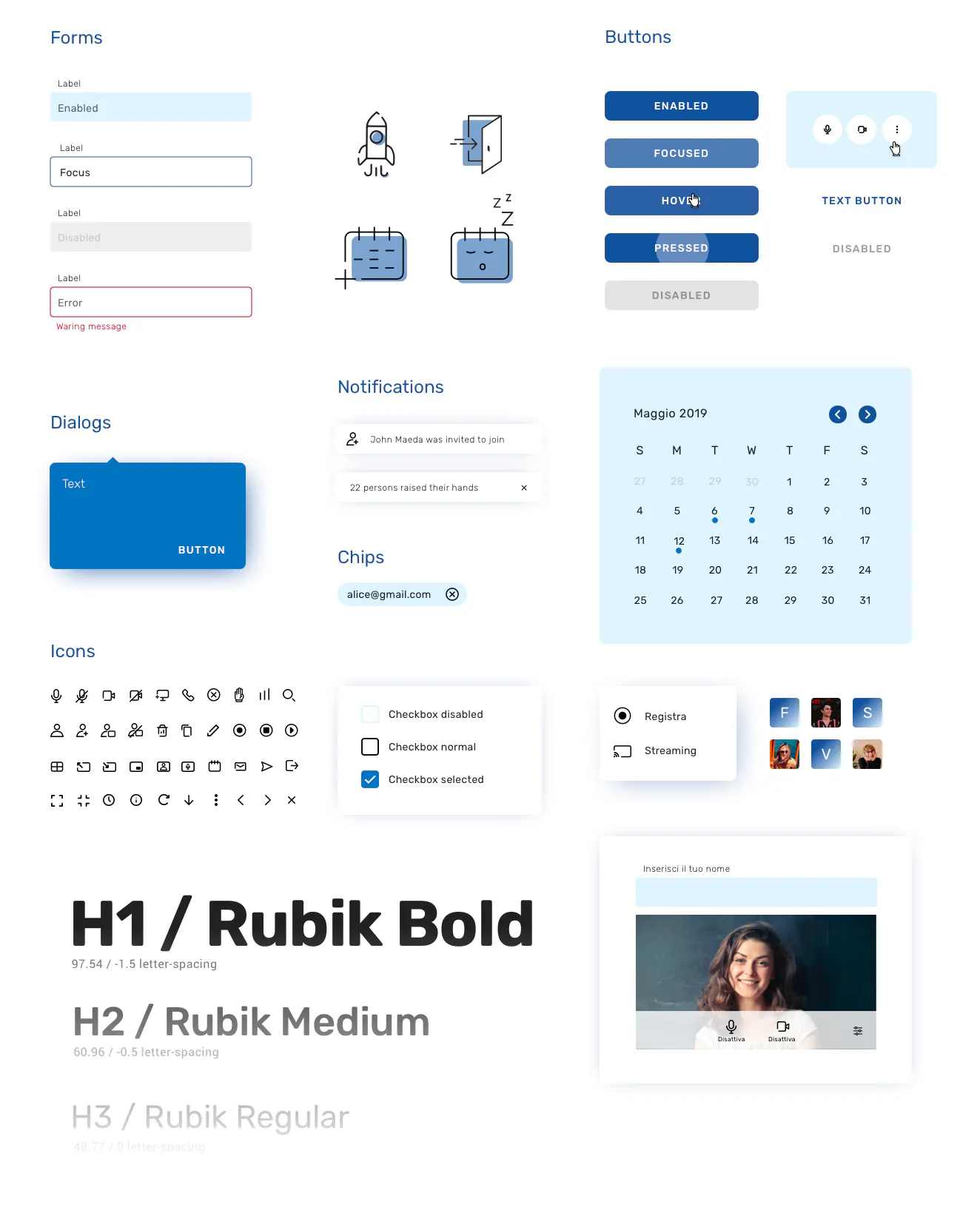
A design system is a set of rules, reusable components and documentation that defines how a product's interface is built. It isn't just a graphic library in Figma: it's a common language for designers, developers and product managers, with a direct counterpart in code.
What it's made of
- Design tokens: colours, typography, spacing, radii and shadows, defined as variables shared between design and code.
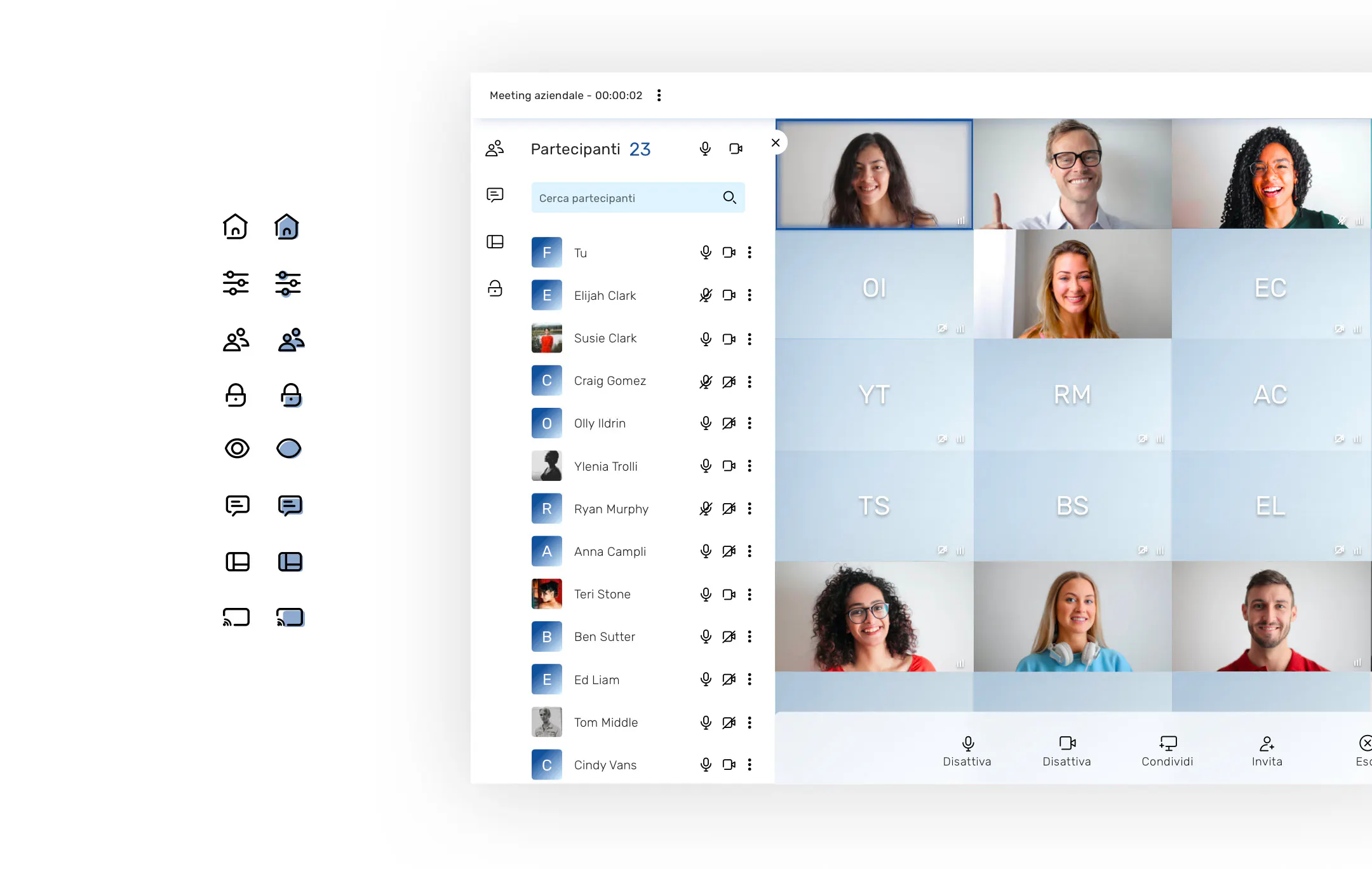
- Components: buttons, inputs, cards, navigation and modals, with all their states and variants.
- Patterns: recurring combinations of components, such as sign-up forms, filterable lists or checkout flows.
- Guidelines: principles on tone, accessibility, and correct and incorrect use of each element.
- Governance: who can propose changes, how they're approved and how the system is versioned.
Why it saves time and budget
Faster development
When the components already exist, a new feature is built by assembling tested pieces rather than starting from zero. The team focuses on product logic, not on redesigning yet another button.
Fewer errors and less rework
Components already validated for usability and accessibility reduce bugs and inconsistencies. Reviews focus on what's genuinely new.
Centralised updates
Changing a brand colour or improving a component happens in one place and propagates everywhere. A restyling that used to take months can be done in weeks.
Scalability across products
For companies with several apps, websites or platforms, a design system ensures a consistent brand experience and lets different teams work in parallel without drifting apart.
When it makes sense to create one
You don't need to start with a huge system. Even an MVP benefits from a minimal set of tokens and components that grows with the product. It becomes essential when the team grows beyond a few people, when there's more than one product or when the interface has started to lose consistency.

How to build a design system
- Inventory the existing interface to find duplicates and inconsistencies.
- Define the design tokens and core principles.
- Design the priority components in Figma, with variants and states.
- Implement them in code, for example as a Flutter widget library or web components.
- Document everything and set governance rules to keep it alive over time.
Design systems: frequently asked questions
Are a design system and a UI kit the same thing?
No. A UI kit is a collection of graphic elements; a design system also includes rules, documentation, code and a process for evolving it.
Can you start from Material Design or an existing system?
Yes, and it's often a sensible choice: you start from a solid base and customise it with brand-specific tokens and components.
How long does it take?
A first usable version can be ready in 4-8 weeks. After that, the system grows with the product.
Conclusion
A design system is an upfront investment that pays back with every new feature: less time spent redesigning, fewer bugs, a more consistent experience and a more recognisable brand. GlueGlue designs and implements design systems for apps and platforms, from the Figma file all the way to code.
Let's talk about your project: get in touch with the GlueGlue team